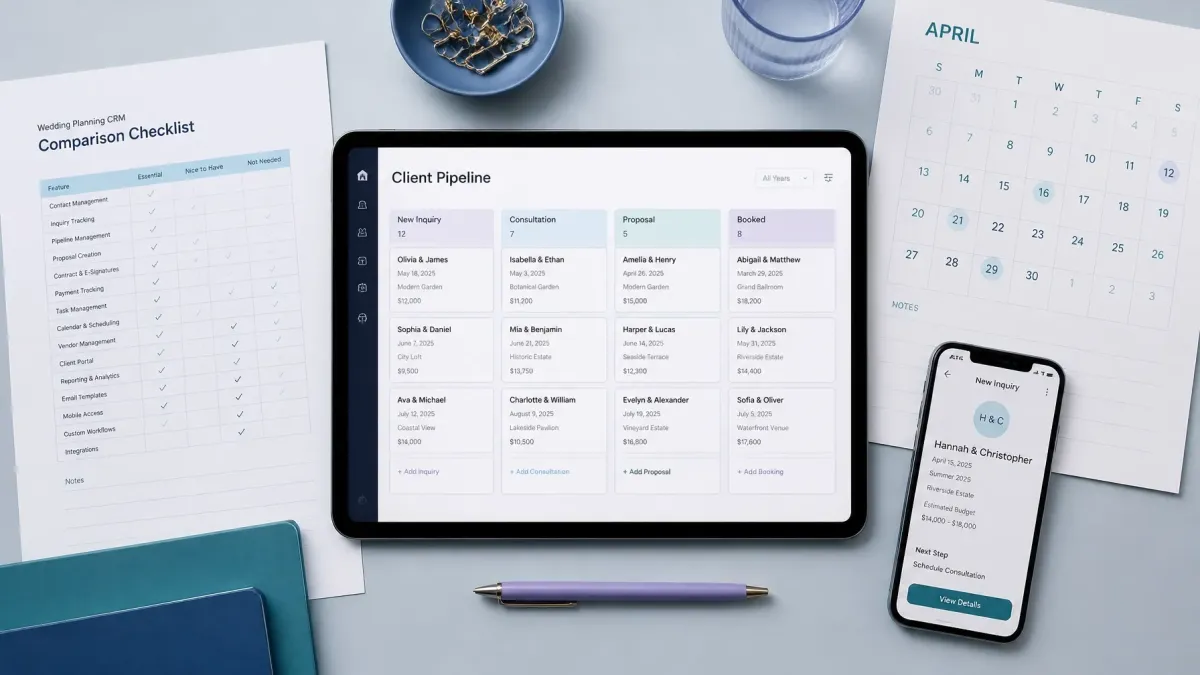
How to Choose the Best Wedding CRM (Compared): 5 Smart Software Solutions for Growing Vendors
A new inquiry comes in while you are photographing a ceremony, setting up a reception, arranging flowers, or meeting with a couple.
You intend to reply later. Then another message arrives, the workday gets busy, and the inquiry slips through the cracks.
This is one of the most common challenges wedding professionals face. Couples want clarity and timely communication, while vendors are often balancing client work, event logistics, administration, and personal time.
A customer relationship management system, or CRM, can help bridge that gap. The best wedding CRM is not necessarily the platform with the longest feature list. It is the system that helps you capture inquiries, respond professionally, follow up consistently, and understand which opportunities need attention next.
What Is a Wedding CRM?
A wedding CRM is a system that helps vendors organize relationships with prospective and booked clients.
Depending on the platform, it may help you:
Capture inquiries from your website, social media, phone, or referral sources
Store contact details, event dates, budgets, and service information
Send immediate confirmations or personalized responses
Schedule consultations and venue tours
Track leads from inquiry to booking
Manage proposals, contracts, invoices, and payments
Automate reminders and follow-up messages
Review conversion data and business performance
Photographers, planners, florists, DJs, venues, rental companies, hair and makeup artists, officiants, and other wedding businesses may all use a CRM differently.
That is why choosing a system based on your actual workflow is more useful than choosing one because it is popular.
Start With Your Biggest Business Bottleneck
Before comparing platforms, identify the part of your client journey that is creating the most friction.
Ask yourself:
Are inquiries arriving from too many places?
Do I sometimes respond hours or days later?
Do I forget to follow up after sending pricing?
Is scheduling consultations taking too many messages?
Do I know which leads are active, undecided, or no longer a fit?
Am I using separate tools for forms, email, texts, scheduling, and client records?
Can I see where most bookings come from?
Your answers will help you determine whether you need a simple contact database, a wedding-specific planning system, or a broader automation platform.
A solo photographer with 20 inquiries a month may need simplicity and speed. A venue with multiple team members may need shared access, pipeline reporting, and more detailed lead management. A wedding planner may need both sales tracking and long-term project organization.
Five Practical Wedding CRM Solutions to Compare
Rather than comparing unsupported promises from one competitor to another, it helps to compare five types of capabilities. Use these categories to evaluate any CRM you are considering.
1. Lead Capture and Centralized Inquiry Management
The first job of a CRM is to make sure new opportunities do not disappear.
Look for a system that can capture inquiries from the channels your clients actually use, such as:
Website forms
Contact pages
Instagram or Facebook messages
Phone calls and missed calls
QR codes at bridal shows or networking events
Referral campaigns
Landing pages and inquiry funnels
Once a lead is captured, the information should be stored in one central place. You should not have to search through several inboxes, notebooks, spreadsheets, and direct messages to understand who contacted you.
Best for: Vendors who receive inquiries from multiple channels or frequently lose track of follow-up.
Evaluate:
Can you customize the inquiry form?
Are source, event date, service, and budget recorded?
Does every inquiry create a trackable contact?
Can your team see the same lead history?
Can you filter leads by date, service, or status?
A clear intake process benefits both sides. Couples receive a more organized experience, and vendors gain a reliable record of every opportunity.
2. Fast Response and Follow-Up Automation
Speed matters, but fast communication should still feel professional and relevant.
A CRM should help acknowledge an inquiry immediately, even when you are busy. That first message can confirm that the inquiry was received, share the next step, and set expectations for a personal reply.
Follow-up tools can then help you stay in touch without repeatedly writing the same messages from scratch.
Useful capabilities may include:
Automatic email or SMS confirmations
Missed-call text-back
Follow-up sequences
Message templates
Reminders to contact leads who have not replied
Instagram or social media auto-replies
Personalized timing based on the inquiry stage
Automation should support your voice, not replace it. The goal is to handle routine communication consistently while leaving room for genuine conversations and thoughtful service.
For vendors who want to respond more reliably, Bridal Boomerang’s Instant Response System is designed to capture and respond to wedding inquiries from channels such as forms, social media, and missed calls.
Best for: Vendors who are often on-site, working weekends, or concerned about delayed replies.

3. Scheduling and Consultation Booking
Once a couple is interested, scheduling should be simple.
Long message threads about availability can slow down the sales process. A CRM with appointment booking can allow prospects to choose from available consultation times while keeping your calendar organized.
Look for scheduling tools that support:
Consultation booking
Venue tours
Discovery calls
Tastings or design meetings
Automatic confirmations
Appointment reminders
Calendar synchronization
Rescheduling and cancellation options
Time buffers between appointments
Different vendors may need different scheduling workflows. A florist might need longer design consultations. A venue may need tour blocks. A DJ may prefer short discovery calls before sending a proposal.
The best system should adapt to those differences instead of forcing every business into the same process.
Best for: Vendors who spend too much time coordinating appointment times manually.
Before choosing a CRM, test the booking experience from the client’s perspective. Is it clear on a phone? Does it show the right availability? Is the confirmation message professional? Small details can affect trust.
4. Pipeline and Booking-Stage Visibility
A CRM should make it easy to answer one basic question:
What needs my attention next?
Pipeline tracking organizes inquiries by stage. A typical wedding vendor pipeline might include:
New inquiry
Initial response sent
Consultation scheduled
Proposal sent
Follow-up needed
Contract signed
Retainer paid
Booked client
Event completed
Your stages may look different. A planner may add “planning questionnaire received” or “vendor team confirmed.” A venue may use “tour completed,” “date held,” and “contract pending.”
The important thing is that the stages reflect your actual buying process.
Best for: Vendors who manage many active inquiries or work with a team.
Evaluate whether you can:
Customize pipeline stages
Move leads easily
See the last communication
Assign tasks or contacts to team members
Set reminders for next steps
Separate prospects from booked clients
Track lost or inactive inquiries
Pipeline visibility also creates a better client experience. When the status of each conversation is clear, you are less likely to send duplicate messages, miss a promised follow-up, or forget an important deadline.
5. Growth Reporting and Connected Business Tools
Once the core workflow is working, reporting can help you make better decisions.
A useful CRM may show:
Number of inquiries received
Response times
Consultation booking rates
Proposal-to-booking conversion
Lead sources
Average booking value
Follow-up activity
Seasonal inquiry trends
This information can help answer practical questions. Are referrals converting better than directory leads? Are inquiries from Instagram turning into consultations? Are prospects dropping off after receiving pricing?
You may also want integrations with tools you already use, including:
Email marketing
Payment processing
Accounting software
Calendar platforms
Social media
Contracts and proposals
Review and reputation tools
Do not choose a CRM simply because it offers the most reports or integrations. Choose the information that will actually help you improve your marketing, pricing, and follow-up.
Best for: Established vendors and teams that want to grow with more visibility and fewer disconnected tools.
How Different Wedding Vendors Should Evaluate a CRM
Your vendor category should influence your priorities.
Photographers and videographers may value fast inquiry responses, consultation booking, proposals, contracts, and payment workflows.
Florists and rental companies may need detailed inquiry forms that capture event style, guest count, venue, delivery details, and budget.
Wedding planners often need a combination of lead management, client communication, project timelines, tasks, and vendor coordination.
DJs and entertainment professionals may prioritize missed-call follow-up, availability checks, consultation booking, and contract management.
Venues typically benefit from shared pipelines, tour scheduling, lead-source reporting, and team visibility.
The right CRM should fit how your business sells and delivers its services.
A Simple Way to Test Your Shortlist
Before committing, test two or three systems using the same sample inquiry.
Run this workflow:
Submit an inquiry through a form
Confirm that the contact is recorded correctly
Check how quickly the first response is sent
Book a consultation
Move the lead through each pipeline stage
Send a proposal or next-step message
Create a follow-up reminder
Review the information from a team member’s perspective
Check whether reports answer useful business questions
Also consider the experience of the person using the system every day.
A powerful CRM that feels confusing may not improve your business. A simpler system that your team consistently uses may produce better results.
Common CRM Mistakes to Avoid
A few common mistakes can reduce the value of any platform:
Choosing based only on the lowest monthly price
Paying for features your business will not use
Copying a complicated workflow from another vendor
Automating messages without reviewing the tone
Failing to connect all major inquiry channels
Never checking whether follow-up tasks are completed
Changing systems too often to measure results
Ignoring data security, permissions, and export options
Set up the basics first. Once your team is consistently capturing and responding to inquiries, you can add more advanced automations.
The Best Wedding CRM Creates Clarity
The best wedding CRM is the one that gives you and your clients a clearer path from first inquiry to booked event.
For couples, that means fewer unanswered questions and more predictable communication.
For vendors, it means fewer missed opportunities, less repetitive administration, and a better understanding of what is happening across the pipeline.
Start by identifying your biggest bottleneck. Then compare each system based on lead capture, response speed, follow-up, scheduling, pipeline visibility, and growth reporting.
If responding quickly is your first priority, explore the Instant Response System. If you want broader support for visibility, lead conversion, and business growth, visit Bridal Boomerang’s business growth resources.
The right system should not make your business feel more complicated. It should help you work with greater consistency, communicate with more clarity, and create a smoother path to professional growth.
