
How to Integrate Online Booking Into Your Inquiry Process (Without Losing the Personal Touch)
A couple sends an inquiry. You’re setting up a reception, photographing a wedding, meeting a client, or finishing an event. You reply when you can, then the scheduling back-and-forth begins: “What times work for you?” “How about Thursday?” “Could we do Friday instead?”
Meanwhile, that couple may be contacting three or four vendors at once. A slow path from inquiry to consultation can cool their interest, not because they don’t value a personal conversation, but because it takes effort to arrange one.
Online booking can make the next step easier. The key is to automate the logistics while keeping your voice, judgment, and care in the relationship.
Why scheduling friction can cost you a warm inquiry
Couples are often planning between work, family responsibilities, and other wedding decisions. When they’re ready to talk, an easy way to choose a time is helpful. A long email exchange can turn a simple next step into a task they put off.
Vendors have real constraints, too. Wedding professionals may be on-site, serving clients, or away from their inbox. It’s not always possible to reply personally within minutes or coordinate schedules in real time.
A well-designed online appointment scheduler bridges that gap. Couples can see available consultation times when it suits them, while you stay focused on the work already in front of you. The experience still feels personal when the booking link is part of a thoughtful conversation, not a substitute for one.
Place booking after acknowledgment, not in place of it
A clear inquiry journey gives the couple a quick response and a useful next step. A practical sequence looks like this:
Capture the inquiry. Collect contact details, the service they’re seeking, their wedding date, and a few relevant details such as venue or location.
Acknowledge it promptly. Let them know their message arrived and explain what happens next.
Offer a consultation link. Invite them to choose a time that works for them.
Follow up personally. Review their details before the call and respond directly to any questions they raised.
The booking link should feel like an invitation, not a brush-off. For example: “Thanks for sharing your plans for the celebration at Willow Creek. I’d love to hear more about the atmosphere you’re creating. If a quick conversation would be helpful, you can choose a time here.”
That brief personal detail shows you read the inquiry. It also gives the couple a convenient next step without requiring them to wait for another round of messages.
For more ideas on timely, personal replies, see best practices for responding to wedding inquiries.
Make the booking page answer practical questions
Before a couple commits to a consultation, they should know what they’re booking. A confusing or bare booking page can create uncertainty right when you want the process to feel simple.
Include the essentials:
What the conversation is for. Explain whether you’ll discuss their date, priorities, design ideas, package options, or venue needs.
How long it will take. Share the expected duration so couples can plan around work and other commitments.
Whether it costs anything. Say clearly if the call is complimentary or if there’s a consultation fee.
How you’ll meet. State whether it will be by phone, video, or in person, and include any location details.
What to prepare. Invite them to bring a venue link, inspiration board, rough guest count, or questions, without making homework feel mandatory.
A little portfolio context. Link to relevant examples that help them understand your work and approach.
Keep the page focused. Avoid asking couples to enter information they have already shared on your inquiry form. Repeating details can make the process feel impersonal, even when the intent is simply to gather context.
Keep your voice in the process
Automation is useful for confirmations, scheduling details, reminders, and internal alerts. It should not be responsible for every meaningful interaction.
A confirmation can still sound like you. Instead of a bare “Appointment booked,” try: “Thanks, Morgan. I’m looking forward to hearing more about your plans and what matters most to you. Your consultation is confirmed, and I’ll review the details you shared before we talk.”
Before the call, take a moment to review the inquiry. Mention a detail the couple shared, answer an open question, or send a short hello. These small gestures help the conversation feel like a continuation of their inquiry, not a meeting with a stranger.
This applies across wedding businesses:
Planners can review the couple’s planning priorities and venue before discussing support.
Florists and rental companies can look over style references, space details, and approximate quantities.
Photographers and DJs can check the date, location, and experience the couple is looking for.
Venues can prepare relevant tour information and explain what happens during a visit.
Beauty professionals can clarify who will be receiving services and whether a trial is part of the conversation.
The details differ, but the principle is the same: let technology handle the scheduling logistics; let the vendor stay the voice.
Use reminders to make attendance easier
A booked consultation is a good step, but it doesn’t guarantee the couple will remember or be able to attend. Automatic reminders help both sides protect the time they set aside.
A simple reminder sequence might include:
An immediate confirmation with a calendar invitation and meeting details.
A reminder the day before, with a convenient way to reschedule.
A short same-day reminder, particularly for phone or video calls.
Keep reminders brief and useful. Include the time and time zone, meeting link or location, expected duration, and the name of the person they’ll meet. If the couple needs to change plans, make rescheduling straightforward rather than asking them to start the scheduling conversation again.
Also make sure bookings sync to your working calendar. Add buffers for travel, setup, or client work, and block times when you’re unavailable. A booking system can only help if its available slots reflect your actual schedule.
Capture enough context to make the call useful
A consultation is more valuable when you already know the basics. Ask only what helps you prepare and determine whether your service may fit.
Depending on your business, that might include the date, venue or location, service requested, approximate guest count, preferred style, or expected budget range. Keep questions relevant. A venue tour may need different details from a photography consultation or a floral design conversation.
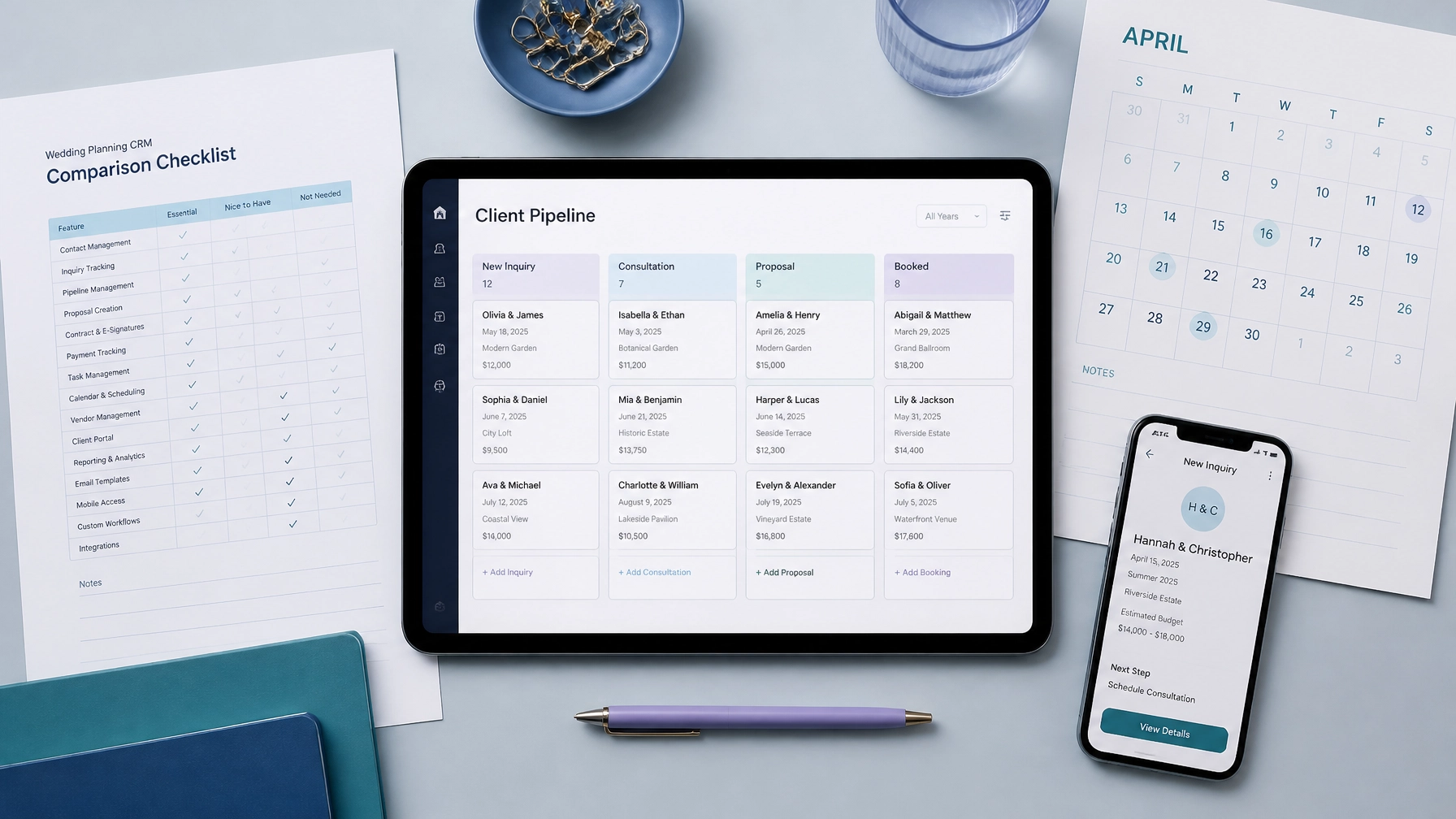
A wedding CRM can help keep inquiry details, booking status, and follow-up tasks together. That makes it easier to see what the couple has already shared and avoid asking them to repeat themselves.
Not every inquiry will be the right fit. If you’re unavailable, work outside their location, or don’t provide the service they need, send a polite reply that explains the situation. When possible, suggest a useful next step or a vendor they could contact. A clear, considerate response preserves trust even when you can’t take the booking.
Track whether bookings turn into clients
Online booking is not just about putting more calls on your calendar. The useful question is whether the process helps the right inquiries move forward.
Track a few measures over time:
How many inquiries book a consultation?
Which inquiry sources lead to attended calls?
How many consultations progress to a proposal or contract?
Where do couples stop responding or reschedule?
This is practical wedding lead management: noticing what works, then adjusting the process. If couples often open the booking page but don’t choose a time, review the available slots, page clarity, and consultation description. If they book but don’t attend, revisit reminder timing and rescheduling options.
These insights can guide wedding vendor marketing, too. You’ll have a clearer picture of which channels bring inquiries that fit your services and become clients, not just which channels generate messages.
Make the next step faster without making it feel colder
A self-serve booking option can help a couple move from inquiry to consultation without unnecessary delays. It can also save vendors from repetitive scheduling messages during the busiest parts of the season.
The best approach combines convenience with attention: acknowledge the inquiry, offer a clear booking path, prepare for the conversation, and follow through in your own voice.
Want to respond instantly and help couples move from inquiry to booked consultation faster than competing vendors? Explore Bridal Boomerang’s Instant Response System.
When scheduling logistics run smoothly, both sides get a better start: couples know what to expect, and vendors can spend more time building the relationships that lead to confident bookings